How to register on the Qayd platform: open the official portal that Kuwait’s Ministry of Commerce and Industry set up for electronic filing of financial statements, create an account for the legal entity or sign in using the method the portal specifies, and then upload your financial statements in XBRL format. Filing through Qayd is optional during 2026 and becomes mandatory from 1 January 2027, according to the Ministry’s announcement.
This article covers the practical side only: who needs to register, what to prepare before you open the portal, the steps to submit financial statements on Qayd, and the most common Qayd platform problems with ways to handle them. For background on XBRL itself, see what is XBRL.
Last updated: November 2026
Important: Qayd is an official government procedure, and its screens and steps may change over time. At the time of writing we could not find an official user guide published to the public that describes the screens in detail, so this article offers general guidance based on what the Ministry announced and what the Kuwaiti press reported. Always follow the instructions shown on the official portal, and contact the Ministry of Commerce and Industry if anything differs.
What is the Qayd platform and who must register?
Qayd is the national system launched by Kuwait’s Ministry of Commerce and Industry for filing financial statements electronically using the XBRL standard, and every legal entity required to submit a balance sheet and financial statements to the Ministry needs to register, because filing through it becomes mandatory from 1 January 2027.
The Minister of Commerce and Industry presented the project to the Cabinet at its meeting on 14 January 2026. On 15 April 2026 the Ministry announced the launch of the first phase of Qayd, which it called the “enablement phase”, in cooperation with the Kuwait Association of Accountants and Auditors. The stated aims are a single digital channel for filing financial statements, faster review, and better quality and transparency of financial data.
As for who must register, coverage of the January 2026 Cabinet meeting said the system would initially cover private companies, single-person companies, simple partnerships and joint-stock companies, while the Ministry’s April 2026 announcement said electronic filing would become mandatory for “all legal entities” from 1 January 2027. Because the wording of the scope differs between the two, the safest course is to confirm your own entity’s position on the official portal or with the Ministry directly.
Press coverage also says XBRL filing is open to companies and to audit firms, which makes the external auditor a key party in the process; coordinating with your auditor early saves a lot of time when you submit financial statements. The table below summarises the dates announced as of this article:
| Date | What was announced | Source |
|---|---|---|
| 14 January 2026 | Qayd presented to the Cabinet, with optional use running since 1 January 2026 | Kuwait Times |
| 15 April 2026 | Launch of the first “enablement” phase with the Kuwait Association of Accountants and Auditors | Al-Jarida, Al-Rai |
| Throughout 2026 | Electronic filing through Qayd is optional; continuing to submit balance sheets through the current mechanism is mandatory | Al-Jarida |
| 1 January 2027 | Electronic filing of balance sheets in XBRL becomes mandatory | Kuwait News, Kuwait Times |
This article does not repeat the general background on the project; it moves straight to the procedures.
How do you register on the Qayd platform?
To register on the Qayd platform, open the official portal directly, choose to create an account or sign in for the legal entity, enter the entity’s details exactly as registered with the Ministry, then verify the account and follow the portal’s instructions. The steps below are general guidance, because at the time of writing we found no public, detailed guide to the registration screens:
- Check your entity’s data firstBefore anything else, make sure your company’s details at the Ministry of Commerce and Industry are up to date: trade name, legal form and authorised signatories. Any mismatch here can hold up registration later.
- Open the official portal directlyType the address yourself or use this link: the official Qayd portal, qayd.moci.gov.kw. Avoid links sent in messages from unknown sources, and enter your login details only on the Ministry’s official domain.
- Choose to create an account or sign inFollow the option the portal offers for legal entities, and use the sign-in or verification method the portal itself asks for. Do not rely on screen descriptions published on unofficial sites, because screens can change.
- Enter the entity’s data accuratelyEnter the required details exactly as they appear in the official records, without abbreviations or alternative translations of the trade name.
- Assign the responsible usersIf the portal lets you add users or link your audit firm to the account, decide who inside the company is responsible for filing and who handles the technical side with the auditor.
- Read the guidance published on the portalAfter signing in, review any guides, instructions or taxonomies published inside the portal before preparing the XBRL file; they are the binding reference, not any outside explanation.
Once registration is complete, the account is ready for the stage where you submit financial statements on Qayd, which is the stage that needs the most preparation, as the next two sections explain.
What data and documents should you prepare before registering?
We found no official, publicly published list of the documents required to register on Qayd, but preparing the entity’s details, the audited financial statements and the auditor’s details in advance makes both registration and filing easier. This is a practical preparation list, not an official list issued by the Ministry:
- Official entity data: trade name, legal form and the details registered with the Ministry, as they appear in the official records.
- Authorised signatory details: the name of the person authorised to deal with the Ministry on the entity’s behalf, and a working contact method.
- Audited financial statements: the final version approved by the external auditor for the financial year being filed.
- Auditor and audit firm details: under the current electronic mechanism, Arab Times reported that the Ministry requires the auditor’s signature to be certified electronically by the Kuwait Association of Accountants and Auditors before a balance sheet is submitted, and that uncertified submissions are rejected automatically.
- Closing trial balance: the basis the statements are built on, which whoever prepares the XBRL file needs in order to reconcile the figures.
- An XBRL file, or someone to prepare it: decide early who will convert the statements into XBRL: your audit firm, your finance team or a specialised tool.
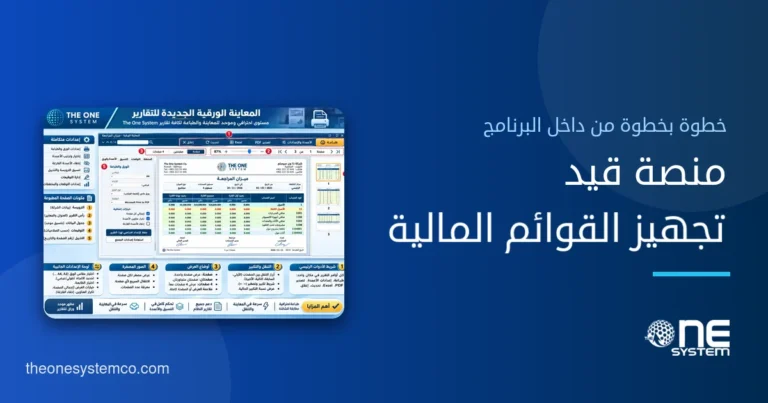
For a detailed explanation of how to prepare the statements themselves before filing, see our separate article, the Qayd platform: preparing your financial statements; we do not repeat it here.
How do you submit financial statements on Qayd?
Submitting financial statements on Qayd follows six general stages: closing the financial year, auditor approval of the statements, conversion to XBRL, uploading the file through the portal, handling validation results, and keeping proof of filing. The technical details of each stage are set by the official portal:
- Close the financial yearFinish the entries and adjustments, close the accounts and review the closing trial balance so the figures are final before they go to the auditor.
- Have the auditor approve the statementsThe audit firm reviews the statements and issues its report. The figures you upload later must match the approved statements exactly.
- Convert the statements to XBRLEach value in the statements is converted into a tagged element under the taxonomy the Ministry adopts. To understand tags and taxonomies, read what is XBRL.
- Upload the file through the portalSign in to the entity’s account and follow the filing steps shown on the portal to upload the file and any attachments it asks for.
- Handle the validation resultsIf the portal shows errors or remarks on the file, fix them together with whoever prepared the XBRL file, then upload it again.
- Keep proof of filing and track the statusKeep whatever proves the submission was made, and follow its status in your account until it is complete; do not assume the filing went through until that is clearly shown.
During 2026 specifically: according to Al-Jarida, quoting the Ministry, filing through Qayd is optional this year, and continuing to submit balance sheets through the current mechanism is mandatory. In other words, submitting financial statements on Qayd in 2026 does not replace submitting the balance sheet in the currently approved way, unless the Ministry announces otherwise.
The current mechanism is already electronic: Arab Times reported in January 2025 that the Ministry had stopped accepting paper balance sheets from joint-stock companies, single-person companies, individual businesses and limited liability companies, and that balance sheets are submitted electronically through the Kuwait Business Center website. The move to Qayd is therefore a move from uploading a statements document to uploading structured financial data in XBRL.
One point deserves attention: one press report in April 2026 said the XBRL system would run through the Kuwait Business Center platform, while the Ministry’s announcement the same month named qayd.moci.gov.kw as the filing portal. When in doubt, rely on what the Ministry announces officially.
What are the common Qayd platform problems and how do you fix them?
Most Qayd platform problems you may face come down to three causes: trouble reaching the portal or signing in, entity data that does not match the records, or an XBRL file that fails validation. The table below is general guidance for handling them, not an official list of system errors:
| Problem | Likely cause | Solution |
|---|---|---|
| The portal does not open or shows an error | Server load, maintenance, or network or browser settings | Try again later, use an up-to-date browser or another network, and check that you typed the official address correctly. |
| Cannot sign in | Wrong login details, an account not fully activated, or incomplete verification | Make sure you use the sign-in method the portal asks for, complete the activation steps, then contact the Ministry if the problem continues. |
| Entity data does not match the records | A difference in trade name, legal form or signatory details | Update the entity’s details with the Ministry of Commerce and Industry first, then try registering on Qayd again. |
| XBRL file rejected at validation | Tags that do not match the adopted taxonomy, unbalanced totals or missing mandatory fields | Review the validation messages shown by the portal with whoever prepared the file, correct it and upload it again. |
| File figures differ from the audited statements | Post-audit adjustments not reflected in the file, or transcription errors | Reconcile every line in the file with the auditor-approved statements before uploading, and never upload a non-final version. |
| Submission rejected over auditor certification | The auditor’s signature not certified electronically under the current mechanism | Check with your audit firm that certification with the Kuwait Association of Accountants and Auditors is complete, as the Ministry requires. |
| Unsure whether your entity is covered | Different wording of the scope across press reports | Check the instructions on the official portal, or ask the Ministry directly about your entity. |
Do not leave Qayd platform problems to the last days before any deadline. According to Times Kuwait, the Ministry said it would hold workshops for companies and audit firms, issue detailed procedural and technical guidelines, and assign a support team to handle enquiries. The Abdulaziz Hamad Al-Saqer Center for Development and Training, the training arm of the Kuwait Chamber of Commerce and Industry, also held an introductory XBRL workshop in July 2026. Follow the Ministry’s official channels for workshop dates and approved support channels, and do not rely on contact numbers published on unofficial sites.
Remember that non-compliance once filing becomes mandatory may expose a company to action under Companies Law No. 1 of 2016 and its executive regulations, according to press coverage quoting the Ministry.
How does accounting software prepare your data before filing?
Accounting software prepares your data for filing by keeping the figures organised, balanced and traceable from the entry to the statement, which shortens the XBRL conversion and reduces validation errors. These are the main areas where an organised accounting system helps:
A clear chart of accounts
A logically levelled account tree makes it easier to map each account to a line in the statements, and then to the matching element in the XBRL taxonomy.
A balanced trial balance
Entries posted as they happen and a trial balance you can rely on, so file preparation never starts from figures that are not final.
Statements from the same data
The balance sheet and income statement produced directly from the data in the system, with no manual copying into outside spreadsheets.
Permissions and an edit trail
Control over who can change entries after closing, so figures do not change after the auditor approves them.
Cost centres and branches
Separating branch and activity data makes it easier to answer any question from the auditor or the regulator.
Easier work with the auditor
Ready reports the audit firm asks for, which shortens the audit and brings the filing date closer.
In this context, The One System is preparing its accounting system for the requirements of Qayd and the XBRL format; you can follow this in The One System’s news item on Qayd. This does not mean the software replaces the auditor or the Ministry’s instructions; its role is to make sure your data reaches the filing stage organised and balanced. To learn about the system’s features, see The One System’s general accounting software.
Questions & answers
FAQ: registering on the Qayd platform
Short answers to what company owners and accountants most often ask about registering and submitting financial statements on Qayd.
01How do you register on the Qayd platform?
To register on the Qayd platform, open the official portal qayd.moci.gov.kw directly, choose to create an account or sign in for the legal entity using the method the portal specifies, enter the entity’s details as held by the Ministry of Commerce and Industry, and follow the instructions shown on the portal.
02Is registering on Qayd mandatory?
Filing through Qayd is optional during 2026, and electronic filing of financial statements in XBRL becomes mandatory from 1 January 2027, according to the Ministry of Commerce and Industry.
03Does submitting financial statements on Qayd in 2026 replace the current method?
No. Al-Jarida reported the Ministry as saying that continuing to submit balance sheets through the current mechanism is mandatory during 2026, so keep filing the approved way unless the Ministry announces otherwise.
04Who must submit financial statements on Qayd?
In April 2026 the Ministry announced that electronic filing will become mandatory for all legal entities from 1 January 2027, while earlier coverage said the system would start with private companies, single-person companies, simple partnerships and joint-stock companies. Confirm your entity’s position on the official portal or with the Ministry.
05What file format does Qayd require?
Qayd uses the XBRL standard, a digital format in which each value in the financial statements is tagged with a specific element from the taxonomy the Ministry adopts, so the data can be read and validated automatically.
06What should I do if my XBRL file is rejected?
Review the validation messages shown by the portal with whoever prepared the file, check that the figures match the audited statements and that the adopted taxonomy was used, then correct and re-upload the file, and contact the Ministry if the reasons for rejection are unclear.
07Does The One System’s software file statements to Qayd directly?
The One System is preparing its accounting system for the requirements of Qayd and the XBRL format. Its current role is to organise your accounts and produce an accurate trial balance and financial statements that make preparation easier. Filing itself is done through the official portal under the Ministry’s instructions.
Didn’t find your answer? Our team is happy to help.
Official sources and references
This article relies on announcements by the Ministry of Commerce and Industry as reported by the Kuwaiti and international press. We recommend checking official sources first:
- Official Qayd portal: qayd.moci.gov.kw (linked in the registration steps above).
- Ministry of Commerce and Industry: the Ministry’s official website.
- Launch of the first Qayd phase: Al-Jarida, 15 April 2026, Al-Rai, 15 April 2026 and Kuwait News, 15 April 2026.
- Presentation to the Cabinet: Kuwait Times, January 2026 and XBRL International, January 2026.
- Workshops, support team and penalties: Times Kuwait, April 2026 and Al-Rai, July 2026.
- Current electronic balance-sheet mechanism: Arab Times, January 2025.
- Confirmation of the mandatory date: Kuwait Times, November 2026.
Before you act: always check the latest instructions on the official Qayd portal and the Ministry of Commerce and Industry website, as dates and steps may be updated after this article was published.
Want your accounts ready for Qayd?
Talk to The One System team and we will show you how the general accounting software organises your entries, trial balance and financial statements before filing, or contact us directly on WhatsApp.