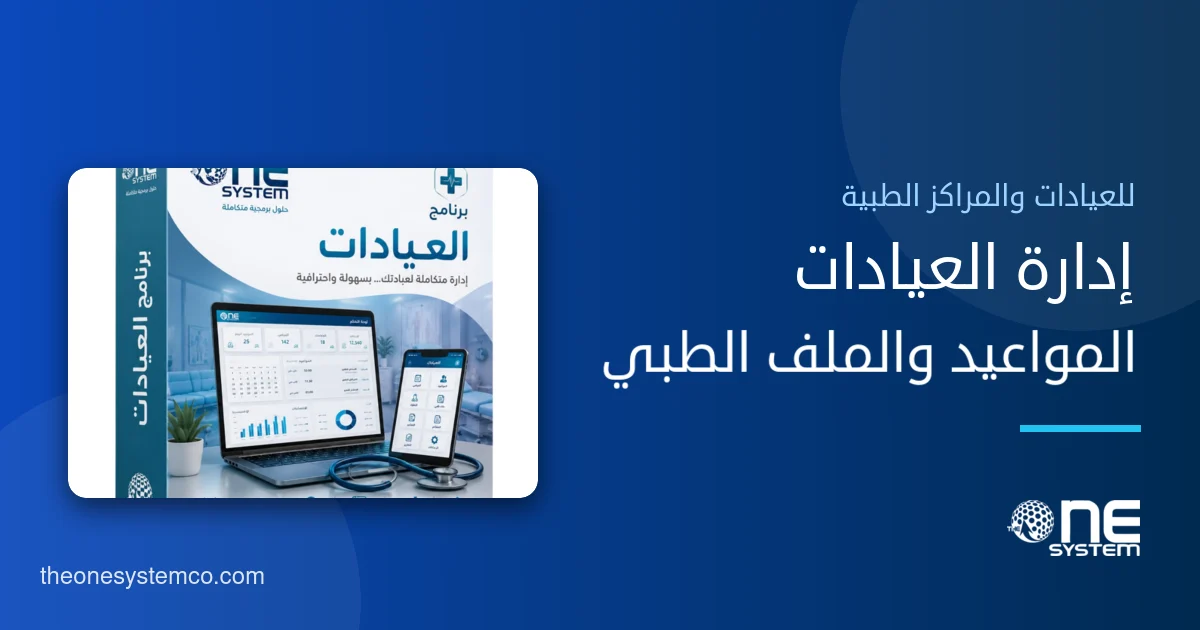
Clinic management software brings everything that happens in a clinic each day onto one screen: booking appointments, opening the patient’s medical record, writing the prescription, issuing the invoice, collecting the patient’s and the insurer’s shares, and then posting all of it to the accounts automatically. Instead of an appointment book at reception, paper files in the doctor’s room and a separate spreadsheet on the accountant’s desk, the clinic has a single source of data it can refer to at any moment. This guide looks at the main challenges facing clinic and medical centre managers, how The One System clinic and medical centre software addresses them, and the criteria to weigh before choosing any system.
The challenges of running a clinic
From the outside a clinic looks calm, but behind the reception desk lies a long chain of connected tasks, and a weak link anywhere affects both the patient’s experience and the clinic’s income.
The trouble usually starts with clashing appointments. When bookings are taken by hand or over the phone without a single system, the same slot gets booked for two patients, or gaps open up in the doctor’s schedule because patients did not turn up and were never reminded.
Then come paper medical files that are hard to search, can be lost or damaged, and do not let the doctor see a patient’s history quickly during the consultation. Insurance makes things more complicated still: what the patient pays has to be separated from what the insurer covers, and the amounts owed must be followed up until they are collected.
Clashing appointments
Double bookings or wasted slots in the doctor’s schedule because there is no organisation or reminders.
Scattered data
The medical record is in one place, the invoice in another and the accounts in a third file.
Insurance receivables
Hard to track the insurers’ share, what has been collected and what is still outstanding.
Medicines and supplies running out
Discovering a shortage of an essential item at the very moment the doctor needs it.
Inaccurate accounts
Cash differences at the end of the day and difficulty calculating doctors’ commissions.
No clear view
Management does not know exactly which doctor or service brings in the most revenue.
These challenges are not limited to large clinics. A solo practice with one doctor and one receptionist faces them too, if on a smaller scale. That is why an integrated clinic management system has become an operational necessity rather than a technical luxury.
Appointment booking and reminders
The appointment schedule is the heart of the clinic: when it is organised, everything else follows, from the doctor’s time to patient satisfaction.
The One System software lets you book a patient with the right doctor, record the requested service and link it to the invoice from the moment of booking. Reception can see each doctor’s available times, avoid double bookings and prepare the visit details before the patient arrives.
Reminders are the part many clinics overlook despite their impact. The software sends the appointment confirmation and a reminder to the patient by WhatsApp and SMS, and invoices can be sent the same way. This helps reduce no-shows and gives the clinic the chance to reschedule if a patient cancels early.
- BookingReception chooses the doctor, the service and an available slot, and registers the patient or opens their file if they are already registered.
- ConfirmationThe patient receives a message confirming the appointment with the date and time.
- ReminderBefore the appointment the patient receives a reminder, making it less likely they will forget.
- Visit and invoiceWhen the patient arrives, the visit is opened and the invoice is issued, linked to the recorded service.
Medical records and prescriptions
The electronic medical record is the clinic’s memory: it keeps every patient’s history and puts it in front of the doctor in seconds.
The software keeps a medical record for every patient, together with prescriptions and the history of previous visits. If a patient returns months later, the doctor can review the notes from past visits and the prescriptions issued without searching a paper archive.
Good patient records software is more than a place to store data. It saves the doctor’s time, reduces reliance on memory and makes it smoother for a patient to move between doctors in the same centre, because their record is available to whoever needs it inside the clinic.
- A single file for each patient with their details and visit history
- Saved prescriptions that can be referred to at later visits
- Quick access to the file at booking or during the consultation
- Less paper and fewer files at risk of being lost or damaged
The software is an organisational and administrative tool that stores what the doctor records; it does not replace specialist medical judgement. Medical decisions always remain the responsibility of the treating doctor.
Insurance and doctors’ commissions
Handling medical insurance and calculating what doctors are owed are among the most sensitive matters in any medical centre, because mistakes in either affect revenue and relations with staff at the same time.
The software handles medical insurance as part of the daily workflow. When consultation, service and medicine charges are collected at the clinic’s cash desk, the patient’s share is separated from the insurer’s share. Insurance receivables then appear in the medical centre’s accounts, and the reports include claim tracking, so management knows what each payer owes.
The software also calculates doctors’ commissions, the details of which vary from one centre to another. It keeps records of doctors, nurses and administrative staff, their salaries and their assignment to clinics, and it records medical staff attendance and tracks shifts, so entitlements are calculated from actual data rather than estimates.
Insurance share
Separate what the patient pays from what the insurer covers at the point of collection.
Claim tracking
Reports showing insurance receivables and claims so they can be followed up until collected.
Doctors’ commissions
Calculate each doctor’s commission based on the services and revenue recorded.
How insurers work and what their terms are differ from one company to another and from one country to another, so we recommend discussing the details of your contracts with our team to see how they can be set up in the system to suit your clinic.
Medicines and inventory
Running out of a medical supply in the middle of the working day can hold up consultations, while stockpiling items that are not needed ties up part of the clinic’s capital.
The software tracks medicines and medical supplies from purchase through issue to the clinics and stocktaking. Because inventory is linked to the accounts, every purchase or issue is reflected in costs and journal entries without double entry.
In centres with more than one clinic, tracking what is issued to each clinic shows how much each department uses, reveals any waste or discrepancies at periodic stocktakes, and helps plan purchases based on actual consumption.
- Record purchases of medicines and supplies
- Issue items to different clinics and departments
- Periodic stocktakes that reveal differences between book and actual balances
- Inventory movements linked to the accounts automatically
Would you like to see the software working with your clinic’s data?
Book a free demo, or contact us on WhatsApp and we will send you a quote within 24 hours.
Accounts and reports
Running a clinic is not complete without a clear financial picture, and this is where the difference shows between a system that only books appointments and an integrated system that links operations to accounting.
The software also works as clinic accounting software: it records consultation and service revenue, insurance receivables and expenses, right through to the final accounts. The clinic cash desk provides a daily closing, so the person in charge knows what was collected during the day and can reconcile it with the actual cash. This part is built on The One System general accounting software, so the clinic gets full accounting, not just an invoice log.
The reports answer the questions a clinic owner needs to make decisions: how many patients and visits were there in a given period? What is the revenue of each doctor and each clinic? Which claims are outstanding? The One System suite includes more than 150 analytical reports across its programs.
| Area | Manual management | Clinic management software |
|---|---|---|
| Appointments | A book or spreadsheet prone to clashes | A single schedule for each doctor with confirmation and reminders |
| Medical record | Paper files that are hard to search | An electronic record with prescriptions and visit history |
| Insurance | Separate calculations for each party’s share | Insurance share separated at collection and receivables tracked |
| Inventory | Shortages discovered when needed | Purchases, issues and stocktaking tracked |
| Accounts | Double entry and cash differences | Automatic posting, daily closing and final accounts |
Who is clinic management software for?
The software is designed to fit medical facilities of different sizes, from a solo practice to a multi-specialty, multi-branch centre.
Private clinics
One or more doctors who need an organised appointment schedule, medical records and clear invoices.
Medical centres and polyclinics
Several clinics and specialties under one roof, with shared inventory and unified accounts.
Cosmetic clinics
Repeat appointments and a range of services that need careful tracking of patients and revenue.
In Kuwait our team serves clinics, polyclinics and cosmetic clinics from our office there, and in Egypt clinics and medical centres get direct support from our offices in Cairo and Asyut. The software can also alert management to important administrative deadlines, such as licence and residence permit renewals, so the clinic does not miss a date that could disrupt its work. For the full list of system modules, visit the clinic management software page.
What is the best clinic management software?
No single program suits every clinic equally. The best one covers your clinic’s actual needs and gives your team real support. Here are practical criteria to help you compare:
Integration
Does it connect appointments, medical records, invoices, inventory and accounts in one system, or do you need several programs?
Patient communication
Does it send confirmations, reminders and invoices through the channels your patients use?
Insurance
Does it separate the insurer’s share from the patient’s share and track receivables?
Multiple branches
If you have more than one branch or plan to expand, does the system support it?
Training and support
Will your staff be trained on the system, and how long is technical support available?
Ease of use
Is the interface clear for both the receptionist and the doctor, and is it available in Arabic and English?
For our part, The One System gives its clients one full year of free technical support, free staff training and continuous free updates, with the ability to work online from anywhere, support for multiple branches and companies, and a bilingual interface. We serve our clients from our offices in Kuwait, Cairo and Asyut.
Common mistakes when choosing a clinic system
Many clinics choose a system in a hurry, only to find months later that it does not meet their needs. The most common mistakes you can avoid:
- Settling for appointment software that is separate from the accounts, then re-entering data by hand for the accountant
- Ignoring insurance requirements until discrepancies appear in receivables
- Not training reception staff properly, so they go back to paper at the first busy spell
- Overlooking inventory and treating it as a side issue
- Not testing the system on real scenarios from the clinic’s own work before signing
- Migrating old data without reviewing and cleaning it first
Hypothetical example: a working day in a medical centre
The following example is entirely hypothetical, written to illustrate the workflow in clinic management software; it does not represent a real client.
Imagine a small medical centre with three clinics: internal medicine, dentistry and dermatology. In the morning the receptionist opens the day’s schedule and sees each doctor’s confirmed appointments, the patients having received reminders the day before.
An insured patient arrives, so the receptionist opens their file and starts the visit. The doctor reviews the history of previous visits and records the prescription in the file. On the way out, the cash desk collects the patient’s share, while the insurer’s share is recorded as a receivable. In the dental clinic a number of supplies are used and deducted from that clinic’s stock.
At the end of the day the cash desk is closed with a daily closing, and the manager reviews a report showing the number of visits and the revenue of each doctor and each clinic. At month end, doctors’ commissions, insurance receivables and expenses are ready in the accounts, with no manual gathering from scattered sources.
Protecting patient data
Patient data is among the most sensitive data there is. Keeping it confidential is first and foremost the clinic’s responsibility, and the software is a tool that helps.
When evaluating any medical center software, ask how data is stored and backed up, and whether you can control what each user can see within the system. It is also advisable for the clinic to have a clear internal policy on who may access medical records, and to comply with the regulations and laws in force in its country.
You can discuss these aspects with our team during the demo to find out which settings are available and how to apply them to your clinic.
How do you get started?
If your clinic struggles with clashing appointments, scattered files or difficulty tracking insurance receivables, the first step is to list your actual needs and then test the system on cases from your own work. Learn more about The One System medical centre and clinic software and book a demo to see how appointments, records, invoices and accounts work together in one system.
Questions & answers
Clinic management software: frequently asked questions
What clinic owners and managers usually ask before choosing a system.
01What is the best clinic management software?
The best software connects appointments, medical records, invoices, insurance, inventory and accounts in one system, and comes with real training and technical support. The One System clinic software brings these together, with one year of free technical support and free staff training.
02Does the software support medical insurance?
Yes. The software handles medical insurance: it separates the insurer’s share from the patient’s share at collection, insurance receivables appear in the accounts, and the reports include claim tracking. To find out how your contracts with insurers can be set up, contact our team.
03Does the software send appointment reminders?
Yes. The software sends the appointment confirmation and a reminder to the patient by WhatsApp and SMS, and invoices can be sent the same way.
04Does the software keep the patient’s medical record?
Yes. The software keeps a medical record for every patient, together with prescriptions and the history of previous visits.
05Does the software calculate doctors’ commissions?
Yes. The software calculates doctors’ commissions and keeps records of medical staff, their salaries and their assignment to clinics, while recording attendance and tracking shifts.
06Does the software track medicines and supplies?
Yes. The software tracks medicines and medical supplies, their purchase, issue to clinics and stocktaking, with inventory movements linked to the accounts.
07Is the clinic team trained on the software?
Yes. Receptionists, doctors and the accountant are trained free of charge on appointments, medical records and invoicing, with one full year of free technical support.
Didn’t find your answer? Our team is happy to help.
Related articles
Salon and beauty centre management software — Accounting software in Kuwait — CRM software for customer relationships — Useful source: WhatsApp Business.