Restaurant owners usually start looking for restaurant POS software when the pressure begins to show: orders written on paper that go missing in the kitchen, delivery orders kept in a separate notebook, and an end-of-day close that takes an hour of manual counting and still doesn’t match the cash in the drawer. The answer isn’t just a machine that prints receipts. It’s a system that brings dine-in, takeaway and delivery together on one screen, sends each order straight to the kitchen and gives you figures you can trust at the end of the day.
In this guide we explain what a restaurant really needs from its POS, how the different order types work, how the POS connects to the kitchen display, and how to handle promotions, the daily close and multiple branches. We then set out practical criteria to help you choose the right restaurant and café software for your business.
What does a restaurant need from its POS?
A restaurant POS is different from a retail till. A restaurant sells a product that is prepared after it is ordered, handles several sales channels at once and works under peak-hour pressure. That is why it needs:
Fast order entry
A clear layout of item and category buttons, so an order is entered in seconds without searching, because every minute of delay at peak time means a longer queue.
Clear order types
Knowing whether an order is for a dine-in table, for pickup or for delivery, since each type follows a different path for preparation and payment.
A direct link to the kitchen
Orders reach the prep team the moment they are entered, with no waiter carrying a slip or rewriting the order.
Flexible pricing
Discounts, combo meals and seasonal promotions that can be switched on and off without changing the price of each item by hand.
Inventory integration
The system knows which raw materials were used by each sale, instead of stock being a number kept apart from the POS.
Reliable daily figures
A close for every shift showing sales and collections, plus reports that reveal your most profitable items and peak hours.
When any of these is missing, the team usually fills the gap by hand: a slip for the kitchen, a spreadsheet for stock and a calculator for the close. That manual effort is exactly what good restaurant POS software is supposed to eliminate.
Order types: dine-in, takeaway and delivery
Most restaurants today take three kinds of orders, and each one asks something different of the system:
| Item | Dine-in | Takeaway | Delivery |
|---|---|---|---|
| What the system needs to know | Table number and the waiter in charge | Customer name or order number | Customer details, address and phone number |
| When payment is taken | Usually after the meal | When ordering or on pickup | On delivery or in advance |
| Preparation priority | Based on the order of courses at the table | Based on when the customer arrives | Based on when the driver leaves |
| Most common problem | Orders mixed up between tables | A waiting customer’s order running late | Lost phone orders or a wrong address |
In many restaurants, each order type is handled differently: dine-in in the waiter’s notepad, takeaway at the till and delivery on a separate phone. As a result, the kitchen receives orders from three sources, and management never sees a single, unified view of sales.
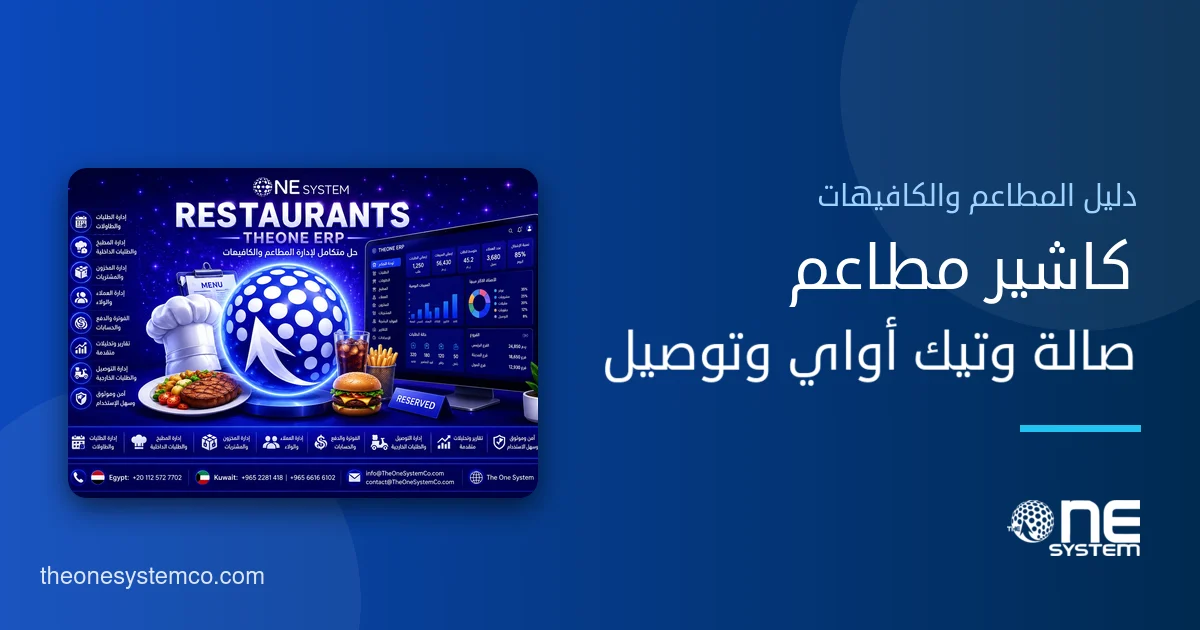
A well-designed POS system for restaurants turns the order type into a simple choice at entry. The cashier picks “Dine-in” and selects the table, picks “Takeaway”, or picks “Delivery” and enters the customer’s details, and the order then follows the same path to the kitchen and the accounts. With The One System, dine-in, takeaway and delivery orders are all managed from one system, with table and waiter management and the option to add a mobile ordering app when you need it.
The POS and the kitchen display system (KDS)
A kitchen display system, or KDS, is a screen placed in the prep area that shows orders as soon as they are entered at the POS. Instead of a printed ticket that can get damaged, fall on the floor or be misread, the cook sees the full order with every item, note and order type.
Linking the POS to the kitchen display matters for three reasons:
- No transcription errorsThe order the cashier enters is exactly what appears in the kitchen, so a “no onions” request can’t get lost along the way.
- Clear prioritiesThe kitchen team sees orders by arrival time and type, so they know which one a customer is waiting for at the counter and which one a delivery driver is waiting for.
- Measured preparation timeWhen the time an order comes in and the time it is finished are both recorded, management can see the average prep time and pinpoint the items or shifts that need improvement.
That answers a question we hear often: does the POS work with a kitchen display? With The One System, yes. Each order entered at the POS goes straight to the KDS, and the preparation time of every order is tracked.
Promotions and combo meals
Promotions are an effective marketing tool, but they become a source of errors when they are managed by hand. The most common types in restaurants are:
- Combo meals: a main dish with sides and a drink at one price, lower than the items cost separately
- A percentage or fixed-amount discount on the whole bill or on a specific item
- Seasonal and holiday promotions, such as Ramadan and Eid
- Café offers on drinks and desserts at certain times of day
The real challenge isn’t applying the discount to the bill; it’s the effect on the rest of the system. When a combo meal is sold, the kitchen must know all of its components, the ingredients used must be deducted from stock, and the sale must appear in reports in a way that lets you measure the promotion’s profitability. If the promotion is entered as a manual price change instead, management loses the ability to tell whether it is making a profit or eating into the margin.
That is why promotions and combo meals should be set up inside integrated restaurant management software rather than left to the cashier’s judgement. The One System POS supports discounts, promotions and combo meals on the same sales screen.
The daily close and reports
The daily close, or shift close, is the moment when what the system has recorded is compared with what is actually in the drawer. It usually covers total sales, a breakdown by order type, amounts collected in cash and by other methods, discounts given, and returns or cancelled orders.
When every shift is closed automatically, you gain two things: the manager knows within minutes whether there is a shortage or a surplus, and responsibility for each shift is clear. A manual close, on the other hand, takes time and leaves the door open to mistakes.
After the close come the reports, which turn POS data into decisions. The most important reports for a restaurant owner include:
Best-selling items
To see what deserves focus on the menu and what could be dropped or repriced.
Peak hours
To schedule staff across shifts accurately and get the kitchen ready in advance.
Sales by cashier
To track performance and reconcile collections at the end of each shift.
Revenue and expenses
To know your actual profit, not just your sales volume.
The One System includes a daily close for every shift and more than 150 analytical reports, covering sales by item, branch, cashier and peak hours. Sales are also posted to the accounts automatically, linking the POS to the accounting system. You can learn more about the accounting side in our general accounting software.
Multiple branches: running several restaurants from one system
When a restaurant opens its second branch, new questions arise. Are prices the same in both branches? How are raw materials moved from the main warehouse? And how can the owner compare the two branches without waiting for files from each manager?
Multi-branch restaurant management software needs to let each branch run its day-to-day sales independently while management keeps a consolidated view of the data. In this case, the most important things to look for are:
- Sales and profitability reports for each branch, with branch-to-branch comparison
- Transfers of raw materials and products between warehouses and branches with clear documents
- Assigning staff to branches and tracking their attendance
- Remote monitoring through a system that works online
The One System supports multiple branches and companies, works online and handles inventory transfers between branches, along with sales reports for each branch.
Traditional cash register vs. an integrated restaurant POS system
When weighing your options, this table shows the difference between a cash register that only handles sales and integrated restaurant POS software that connects sales to the rest of the restaurant’s operations:
| Item | Traditional cash register | Integrated restaurant system |
|---|---|---|
| Order types | Usually direct sales only | Dine-in, takeaway and delivery on one screen |
| Communication with the kitchen | A printed ticket or by word of mouth | A kitchen display that receives orders instantly |
| Inventory | A separate spreadsheet updated by hand | Linked to sales, purchases and stocktaking |
| Accounting | Sales re-entered in another program | Journal entries posted automatically |
| Branches | Each branch’s data kept in isolation | Consolidated monitoring and branch comparison |
| Reports | Total sales for the day | Analysis by item, cashier, branch and time |
How to choose the best POS system for restaurants like yours
No single program is best for every restaurant, but some criteria show how well a system fits your business. Before you decide, check the following:
- Does it support the order types you use today, and those you plan to add, such as delivery?
- Does it connect to a kitchen display and measure preparation time?
- Can promotions and combo meals be set up inside it without changing prices by hand?
- Is it linked to inventory and accounting, or will it remain an isolated system?
- Does it support new branches and future growth without having to change systems?
- Is the interface simple enough to train a new cashier quickly?
- Is technical support and training available near you, and for how long and on what terms?
The best way to judge is to test the software on your restaurant’s real scenarios: enter a dine-in order, a delivery order and a combo meal, watch how they reach the kitchen, then close a shift and review the reports. Half an hour of testing like this reveals what no feature list can.
Test the POS on your restaurant’s own scenarios
Book a free demo and we’ll show you how an order moves from the POS to the kitchen and through to the daily close, or contact us on WhatsApp for a quotation.
Example: a working day at a two-branch restaurant
The following example is hypothetical, to illustrate the idea, and does not represent a real client:
A fast-food restaurant with two branches takes dine-in, pickup and phone delivery orders. Before using an integrated system, the cashier entered dine-in and takeaway orders, while the phone operator wrote delivery orders on paper and handed them to the kitchen.
At lunchtime, a customer calls and orders two combo meals for delivery. The cashier enters the order, selects “Delivery” and adds the customer’s details, and the order appears instantly on the kitchen display alongside the dine-in orders. The cook sees that a table order came in first, prepares both in sequence, and the prep time for each is recorded.
At the end of the shift, the cashier closes it, and total sales appear broken down into dine-in, takeaway and delivery. The manager reconciles the cash in minutes. At the end of the week, the owner reviews the reports and notices that one combo meal sells strongly at the first branch but only modestly at the second, and that the second branch’s peak starts later, so he adjusts staff scheduling accordingly.
The point of the example is that the value doesn’t come from the sales screen alone, but from the same information flowing from the POS to the kitchen to the reports without being rewritten.
Common mistakes when choosing restaurant POS software
- Choosing software on price alone, without testing it against how the restaurant actually works
- Buying a standalone POS, then discovering you need another program for inventory and a third for accounting
- Ignoring delivery and takeaway at first, then having to rely on workarounds later
- Setting up items and promotions haphazardly, so the reports end up being of little use
- Not training the cashier and staff before going live on busy days
- Neglecting the daily close, so discrepancies pile up and their source becomes hard to trace
What does The One System restaurant software offer?
The One System restaurant and café management software brings the POS, orders, kitchen, inventory and accounting together in one platform. Its key features include:
Fast POS
A sales screen built for peak hours, with cash and credit sales, invoice printing, discounts, combo meals and the daily close.
Every order type
Dine-in with table and waiter management, takeaway and delivery, with the option to add a mobile ordering app.
Kitchen display (KDS)
Orders reach the kitchen the moment they are entered, and the prep time of each order is tracked.
Raw material inventory
Purchases, branch transfers, issue vouchers, stocktaking and inventory adjustments.
Integrated accounting
Automatic journal entries for sales, trial balance, final accounts and asset management.
WhatsApp & SMS
Send invoices, order confirmations and promotions to your restaurant’s customers.
The software also works online, supports both Arabic and English, and includes one year of free technical support and staff training, delivered from our offices in Kuwait, Cairo and Asyut, so owners looking for a POS system for restaurants in Kuwait or Egypt get local, hands-on service.
Questions & answers
Restaurant POS software: FAQ
Quick answers for restaurant and café owners comparing POS systems.
01What is the best POS software for restaurants?
The best restaurant POS software brings dine-in, takeaway and delivery together on one screen, connects to the kitchen display, inventory and accounting, and provides clear reports for every shift and branch. The One System restaurant software offers all of this in a single system that works online and supports multiple branches.
02Does the software support delivery and takeaway?
Yes. The One System manages delivery, takeaway and dine-in orders from one system, with table and waiter management and the option to add a mobile ordering app.
03Does the POS work with a kitchen display?
Yes. Each order entered at the POS reaches the kitchen display (KDS) instantly with no paper tickets, and the prep time of every order is tracked to help speed up service.
04Can I set up promotions and combo meals?
Yes. The POS supports discounts, promotions and combo meals on the sales screen, so they are applied consistently and appear in the reports.
05Does the software provide a daily close and sales reports?
Yes. It includes a daily close for every shift and more than 150 analytical reports, including sales by item, branch, cashier and peak hours.
06Is the software suitable for multi-branch restaurants?
Yes. It supports multiple branches and companies, works online, handles transfers between branches and lets you follow each branch’s reports.
07Is technical support and training available?
Yes. Clients receive one year of free technical support, staff training and continuous updates through our offices in Kuwait, Cairo and Asyut.
Didn’t find your answer? Our team is happy to help.
Related reading
A guide to accounting software in Kuwait — Salon and beauty centre management software — Restaurant and café software page — Ordering and delivery app development — Useful source: WhatsApp Business.