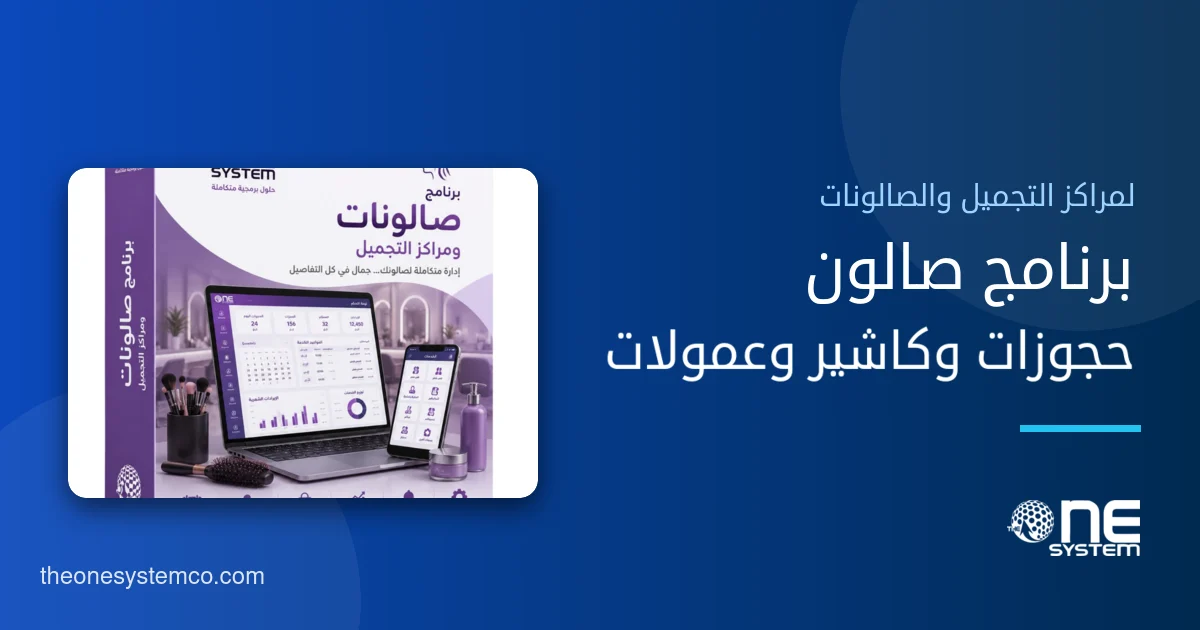
Professional salon software runs the daily work of a salon or beauty centre from one place: appointment booking, checkout, staff commissions, packages and loyalty cards, inventory and accounts. This guide covers the problems salon management software solves, what it should include, what a working day looks like in a salon that runs on a proper system, and how to choose the right software. At each point we show what The One System beauty centre software offers, designed for salon owners and managers.
Running a salon without a system
Many salons start with an appointment book, a calculator and a simple commission sheet, which can work at first. As clients and staff grow, problems appear: overlapping or forgotten appointments, no-shows without warning, disputes over commissions at month end, products running out unnoticed, and no clear idea which service earns the most.
- Overlapping or lost appointments
- Client no-shows with no reminder
- Commissions calculated by hand at month end
- Products running out without warning
- No real revenue figure per service or stylist
- Hard to follow more than one branch
Appointment book vs. salon software
| Item | Book and calculator | Salon software |
|---|---|---|
| Appointments | Overlaps and forgotten slots | A clear calendar for each stylist |
| Client reminders | Manual phone calls | WhatsApp and SMS messages |
| Commissions | Hand-calculated at month end | Automatic, with ready reports |
| Inventory | Shortages found late | Stock and usage tracked |
| Revenue | Estimated | Revenue per service, stylist and branch |
A salon booking system at reception
Booking is the heart of a salon. The software lets you define services and the stylist responsible for each, then schedule and book appointments from the reception screen with a clear view of each stylist’s free slots. At booking you can register programmes and packages, issue the invoice and collect payment.
To reduce no-shows, the software sends the appointment confirmation to the client by SMS and WhatsApp through the Meta platform integration, with the time and the requested service.
Salon checkout: selling services and products
A salon needs a till that understands its work, because it sells services and products on the same bill. The One System salon checkout supports cash and credit sales, discounts, services and products together, invoice printing and an end-of-day closing that shows sales and collections.
Fast sales
One bill for services and products, with discounts.
Cash and credit
Record different payment methods and track amounts due.
Daily closing
A summary of sales and collections at the end of each day.
Staff commissions without disputes
Commissions are among the most sensitive topics in a salon. Calculated by hand at month end, they invite mistakes and arguments. With the software, each stylist’s commission is calculated automatically on the services she performed and can be reviewed at any time in the performance reports.
This ties into the staff module, which keeps each stylist’s details and salary method and connects to fingerprint devices to record attendance automatically.
Packages, membership and loyalty cards
A returning client is a salon’s most valuable asset. The software manages services and packages, plus membership and loyalty cards that encourage clients to come back, and lets you send offers by WhatsApp and SMS. The salon moves from waiting for clients to staying in touch with them in an organised way.
Inventory, accounts and performance reports
Product stock
Track products, purchases, stocktaking and reconciliation.
Full accounting
Receipt and payment vouchers, journal entries and final accounts.
Performance reports
Revenue per service and stylist, among 150+ analytical reports.
Multiple branches
Follow several branches from one place.
The client’s experience from booking to leaving
Clients never see the software, but they feel it at every step. When a client calls to book, reception instantly sees her preferred stylist’s free times without searching a book. Before the visit she receives a WhatsApp confirmation, so she does not forget or need to call to check.
On arrival her appointment is already recorded and the service starts on time. At payment she gets one clear bill for services and products, with her package balance deducted if she has one. Afterwards she may receive offers or a reminder of her next visit. These small details are what bring clients back and make them recommend the salon to friends.
How the software helps grow salon revenue
The software does not raise revenue on its own, but it gives the owner the information and tools to do so. Service reports show which services are most requested and most profitable, so you can build offers and packages around them. Staff reports show who needs training and who deserves a reward.
Packages and loyalty cards encourage repeat visits, appointment reminders reduce idle time, and inventory control prevents buying products that sit unused or running out of those the daily services depend on.
A day in a salon that runs on the software
- MorningReception opens the calendar and sees each stylist’s bookings; clients already received confirmations.
- Client arrivesHer arrival is recorded and the assigned stylist starts on time.
- PaymentOne invoice covers the service and any product bought, with discounts or package balance.
- Automatic updatesThe stylist’s commission is recorded, the product leaves stock and the amount is posted to the accounts.
- End of dayA daily closing shows sales and collections, plus a quick view of service and stylist performance.
Managing staff: records, attendance and salaries
Beyond commissions, the software keeps each stylist’s details, salary payment method and branch and department. It connects to fingerprint devices to log attendance automatically, with smart alerts to management on important events, so the owner follows the team without paper timesheets.
Example: a salon moving from paper to software
Here is a made-up salon scenario to show how this works in practice:
A ladies’ salon with five stylists records appointments in a book and calculates commissions on paper at month end. After switching to the software, reception books from the screen and sees each stylist’s calendar, and clients receive confirmations before their visits.
At the end of the first month the owner no longer calculates commissions by hand; they appear in a ready report for each stylist. The service report shows one service is more profitable than she thought, so she builds a package around it, and the stock report shows a product used faster than others, so she adjusts her purchasing.
Who is The One System salon software for?
Ladies’ salons
Manage bookings, services, stylists and checkout in one or more salons.
Beauty centres
Many services, packages and a larger team that needs accurate commissions and reports.
Multi-branch chains
Follow every branch from one place with consolidated reports.
How to choose the right salon software
Before you decide, check that the software:
- Manages bookings at reception and reminds clients
- Calculates staff commissions automatically
- Sells services and products on one bill
- Supports packages and loyalty cards
- Tracks inventory and accounts in the same system
- Includes training and technical support after purchase
Monthly figures every salon owner should watch
Revenue per service
Find the most profitable services and focus on them.
Stylist performance
Number of services, revenue and commissions.
Returning clients
Return rate and the effect of packages and loyalty cards.
Product usage
Keep purchasing in line and avoid shortages or overstock.
Getting started with the software
- DemoWe show the software against the way your salon works and answer your questions.
- Services and staffEnter services, prices, stylists and commission rates.
- Packages and stockSet up packages, loyalty cards and product balances.
- TrainingFree training for reception, checkout and management.
- Go live with supportStart working with one year of free technical support.
The One System serves salons and beauty centres from its offices in Kuwait, Cairo and Assiut. The software is bilingual, works online and suits teams and clients of different nationalities.
Questions & answers
Salon software: frequently asked questions
What a salon owner should know before switching on the software.
01What is the best software for managing a salon?
The best software combines bookings, checkout, commissions, inventory and accounts in one system, reminds clients of their appointments and comes with support and training.
02Is it suitable for small salons?
Yes. A small salon starts with bookings and checkout and, as it grows, adds branches, packages and reports without changing the system.
03How are staff commissions calculated?
The software calculates each stylist’s commission on the services she performed, and you can review it in the performance reports.
04Do clients book through the software?
The software is for running the salon: reception records the booking and the client receives a confirmation by WhatsApp or SMS.
05Does it track salon product stock?
Yes. Every product sold at checkout is deducted from stock automatically, alongside purchases and stocktaking.
Didn’t find your answer? Our team is happy to help.
Explore the software in detail
See every module and screen on the beauty centre software page, compare the programs or book a free demo — Useful source: WhatsApp Business.