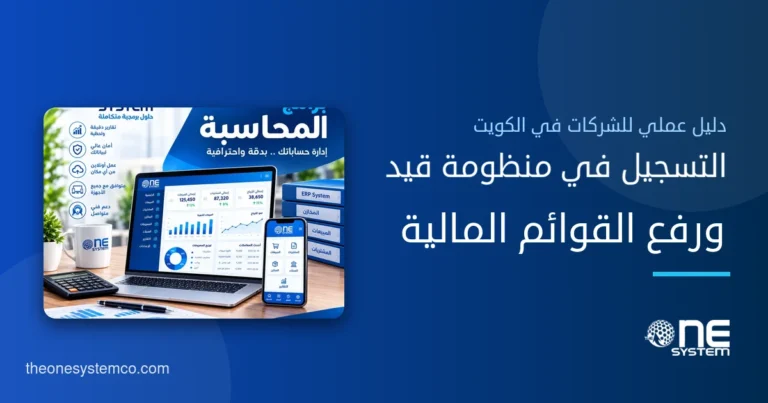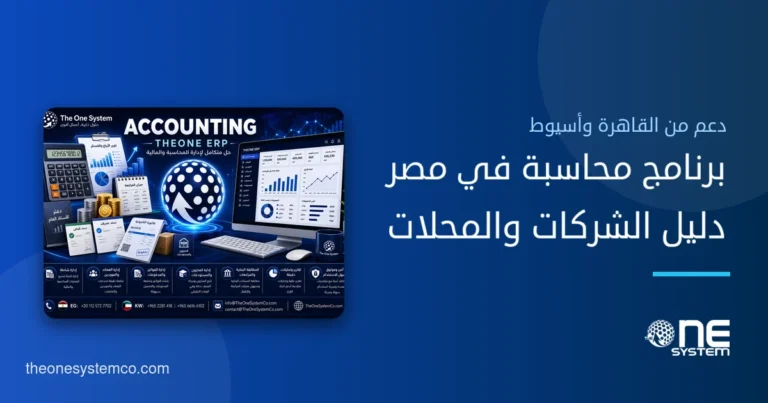
Every company, whatever its size, needs a dependable way to record its money and stock and to know where it stands financially at any moment. Accounting software for companies brings these tasks together in one place: accounts, warehouses, invoices, staff and reports, instead of scattering them across separate files and programs that never talk to each other. In this article we explain when a company genuinely needs accounting software, which modules it should include, how needs differ between small and large companies, and which criteria help you choose the right system. We also take a look at The One System general accounting software, which serves companies in Kuwait and Egypt.
When does a company need accounting software?
There is no single moment that suits everyone, but some clear signs show that your current tools are no longer enough:
- Preparing the monthly report takes days of manual gathering and matching
- Stock figures in the books differ from the quantities actually in the warehouse
- Finding a customer or supplier balance means opening more than one file
- The accounts depend on a single employee, and follow-up stops when they are away
- The company has opened a new branch or added an activity, and keeping the figures apart has become difficult
- Management, the bank or the auditor asks for organised financial statements at short notice
If two or more of these signs apply to your company, the problem is no longer the effort your team puts in; it is the tool itself. Manual spreadsheets may be enough in the first few months, but they do not grow with the business, and every new transaction adds workload and another chance of error.
As a rule of thumb, switching early is easier and cheaper than switching late. Moving one organised year of data is far simpler than trying to sort out years of accumulated, scattered files.
The core modules of accounting software for companies
A complete system goes beyond journal entries and balances; it connects the departments where financial transactions originate in the first place. These are the modules to look for:
Accounts
Chart of accounts, daily journal entries, receipt and payment vouchers, general ledger and trial balance, all the way to the final accounts.
Warehouses
Purchases, sales and transfers between warehouses, issue and receipt vouchers, stocktaking and settling differences.
Invoicing & sales
Quotations, purchase orders, and sales and purchase invoices, linked to inventory and to customer and supplier accounts.
Staff affairs
Employee records and salary payment methods, branch and department setup, and attendance tracking.
Reports
Analytical reports on revenue, expenses, sales and balances that help management decide without waiting for year end.
Permissions & control
Define what each user can see and what they can change, so financial data stays protected and reliable.
The real value lies not in having each module on its own but in how they connect. When a sales invoice is recorded, stock should go down, the customer balance should update and the accounting entry should be created at the same moment, without anyone keying the figure in somewhere else. That is what “every department in one system” really means.
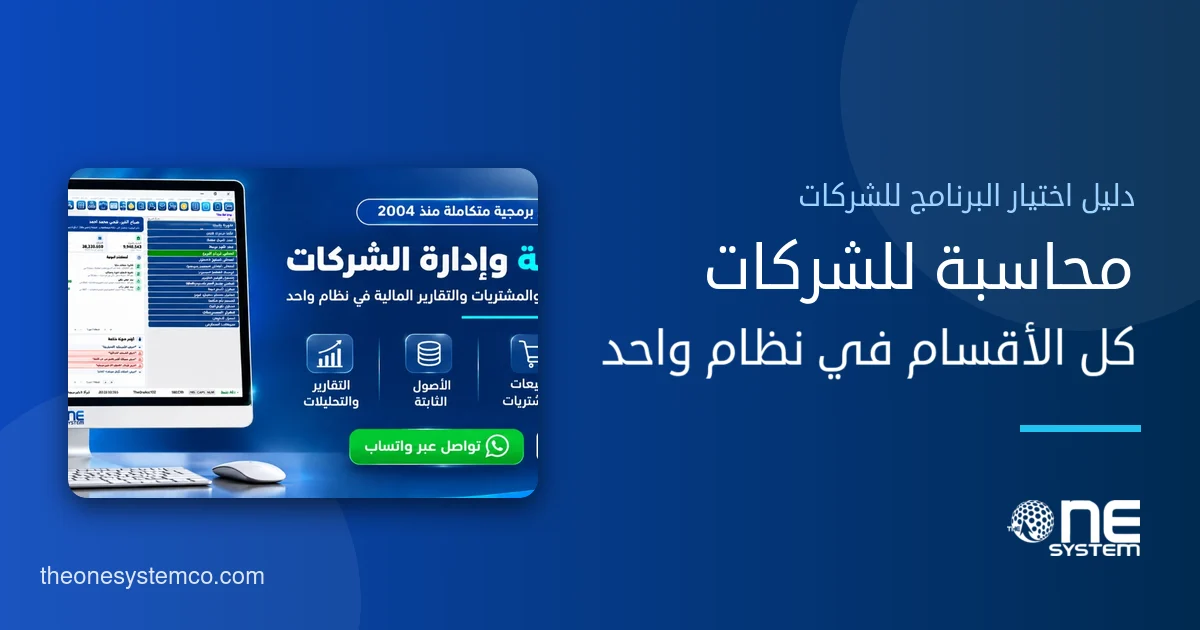
This is the principle behind The One System general accounting software, which combines the accounts module, the store and warehouses module and staff management in a single platform.
Spreadsheets, separate programs or one unified system?
Most companies go through three stages in managing their accounts. The table below shows what you gain and lose at each stage:
| Item | Spreadsheets | A separate program for each department | Unified accounting system |
|---|---|---|---|
| Data source | Many files in different versions | A database for each program | One database for all departments |
| Moving figures between departments | Manual copy and paste | Periodic export and import | Automatic when the transaction is recorded |
| Tracing where a figure came from | Very difficult | Possible only within each program | From the report back to the original document |
| Company-wide reports | Built by hand | Must be compiled from several sources | Ready from the recorded data |
| Training & support | Depends on the employee’s experience | Several vendors and several interfaces | One vendor and one interface |
| Fit for growth | Weakens with every new branch | Gets more complex with every new link | Add branches and companies within the same system |
Separate programs can look like a sensible middle ground, but their weak point is the gaps between them. Every export or import is a chance for the figures to drift apart, and every discrepancy takes time to find and fix.
Small companies vs. large companies
Many business owners ask whether a small business really needs an integrated system, or whether that is a luxury only large companies can justify. The answer is that the need is essentially the same, but the priorities differ.
In a small company, one or two people handle most of the work, so an owner looking for the best accounting software for small business puts ease of use first: issuing invoices quickly, knowing how much cash is available and keeping track of who owes what. They also want to start with what they need today and find what they will need tomorrow, as they expand, in the same software.
In a large company, responsibilities are spread across departments and teams, and the priority shifts to control and detail: precise permissions for each user, cost centres that separate the results of each activity, multiple branches and currencies, and reports that compare performance across periods.
| Need | Small company | Medium and large company |
|---|---|---|
| Top priority | Simplicity and a quick start | Control and detailed accuracy |
| Number of users | One or two users | Several teams with different permissions |
| Inventory | Usually a single warehouse | Several warehouses with transfers between them |
| Reports | Sales, cash and balances | Cost centres, comparisons and final statements |
| Structure | A single branch | Several branches, perhaps more than one company |
The bottom line is that the best choice for both is one flexible system whose modules can be switched on gradually. A small company does not want to be forced to replace its entire software two years later simply because it has grown.
The same logic largely holds in Kuwait and Egypt alike: a trading company in either country needs to control its stock, collect what it is owed and know its actual profit. The local details do differ, however, such as the base currency, regulatory requirements and the way suppliers do business, which is why it helps to work with a provider that is present in the same market and understands those details.
Invoicing and warehouses: where integration shows
Some business owners look for standalone invoicing software that simply prints invoices, then discover that an invoice is only the first link in a chain of effects: a quantity leaves the warehouse, a customer balance changes and revenue is recorded in the accounts. When these links are disconnected, every invoice turns into three manual tasks.
In a unified system, the cycle runs as follows:
- QuotationPrepared for the customer from the registered items and their prices, and converted into an invoice once approved, with no retyping.
- Sales invoiceIssued from the software, so quantities are deducted from the warehouse and the customer balance updates automatically.
- CollectionRecorded with a receipt voucher linked to the customer, so the remaining balance is shown accurately.
- ReorderingWhen quantities run low, a purchase order is issued to the supplier, and the goods are received with a receipt voucher that raises the warehouse balance.
- Stocktaking & reconciliationThe book balance is compared with a physical count at regular intervals, and any differences are settled with a documented adjustment.
This way, sales, inventory and accounting figures stay in line at all times, and the company does not have to wait until month end to find out that an item has run out or that a customer has gone past the agreed payment period.
Cost centres and multiple branches
Once a company has several activities or branches, knowing that it made a profit overall is not enough; it needs to know where the profit and the losses come from. This is where cost centres come in: an additional tag attached to every transaction to identify the branch, project or activity it belongs to.
For example, if a trading company has a showroom and a corporate supply division, cost centres let it allocate revenue and expenses to each one and then produce a separate result for each activity from the same chart of accounts, without creating duplicate accounts for every branch.
Multiple branches
Follow each branch’s sales, stock and expenses, while still seeing the consolidated picture for the company.
Multiple companies
Manage more than one company within a single group, keeping each company’s data separate.
Multiple currencies
Record transactions in different currencies if you deal with suppliers or customers from abroad.
Permissions are closely tied to this. A branch manager needs to see their own branch’s data, while the finance department needs to see every branch. Setting these boundaries inside the system protects the data and reduces unintentional mistakes.
It pays to plan cost centres from the day you start using the software rather than months later. Adding them afterwards means earlier transactions will not be allocated, leaving branch comparisons incomplete for the first year. To begin with, it is enough to decide the level at which management wants to see results: branch, project or line of business.
Want to see the modules working together on your company’s data?
Book a free demo and our team will walk you through the workflow from invoice to report, or contact us on WhatsApp to request a quotation.
Illustrative example: a distribution company moves to a unified system
The following example is hypothetical, intended to illustrate the idea, and does not represent a real client:
A food distribution company has two warehouses and a sales team. It uses a simple program to print invoices, a spreadsheet for inventory, and an external accountant who receives the files at the end of each month to prepare the journal entries.
The recurring problem was that stock figures did not match reality, because transfers between the two warehouses were recorded late, and finding customer balances meant checking invoices by hand. At month end, the accountant spent most of their time reconciling rather than analysing.
After moving to a unified system, every invoice was deducted from the warehouse the goods actually left, every transfer between the warehouses was recorded with a clear document, and every collection was linked directly to the customer. A cost centre was assigned to each warehouse, making it possible to see the profitability of each one.
The expected outcome in a case like this is that the accountant’s work shifts from gathering figures to reviewing and analysing them, and that management can get the sales and inventory report on any day without waiting for month end.
Criteria for choosing accounting software for companies
No single program suits every company by the same yardstick, but the best accounting software for companies is the one that meets the following criteria for your particular business:
- Integration between departmentsMake sure accounts, warehouses, invoicing and staff affairs run on one database, rather than being programs that merely sit side by side.
- A flexible chart of accountsA multi-level chart that can be adapted to your activity and is easy to develop as the company grows.
- Depth of reportingAsk about the ready-made reports and try them on data close to your own, not just on demo data.
- ScalabilityCan the software take on more branches, companies, currencies and users without moving to another system?
- Ease of use and languageA clear interface your team can work with every day, ideally in both Arabic and English.
- Local support and trainingA team close to you that understands how business works in your country, trains your staff and responds when needed.
- Updates and regulatory requirementsA provider that keeps developing its system and follows the new requirements set by official authorities.
In Kuwait in particular, readiness to submit financial statements electronically through the Ministry of Commerce and Industry’s Qayd platform has become an important additional criterion, because it depends on how the chart of accounts is organised inside the software. If your company is in Kuwait and you want more detail on that market’s needs, see our guide to accounting software in Kuwait.
Common mistakes when choosing business accounting software
Many problems with accounting software stem not from the software itself but from how it was chosen or implemented. The most common mistakes when choosing business accounting software include:
- Deciding on price alone without comparing which modules and support each offer includes
- Buying software for accounts only, then looking for another program for warehouses and invoicing later
- Moving an old, disorganised chart of accounts into the new software as it is
- Neglecting staff training and settling for a quick walkthrough at handover
- Giving every user full permissions to make things easier at the start
- Ignoring expected growth needs, such as a new branch or another currency
The best safeguard against these mistakes is to list the operations your company carries out every day before contacting any provider, and then ask to see them carried out in front of you in a demo.
How The One System brings every department together in one system
The One System has been developing specialised business management software since 2004, and its general accounting software covers what trading, industrial and service companies need:
Integrated accounts
A multi-level chart of accounts, multiple journal entries, receipt and payment vouchers, the general ledger, the trial balance, the balance sheet and the income statement.
Store & warehouses
Purchases, sales and transfers, issue and receipt vouchers, quotations and purchase orders, stocktaking and inventory reconciliation.
Staff management
Employee and residency records and salary payment methods, with fingerprint device integration for attendance.
Cost centres & multi-branch
Cost centres to see the profitability of each branch or activity, with support for multiple branches, companies and currencies.
More than 150 reports
Analytical reports on revenue, expenses, sales, employee performance and year-on-year comparisons.
WhatsApp, SMS & alerts
Send invoices and alerts through the Meta platform integration, plus an alert system that reminds the team of tasks on time.
The software runs online from anywhere, with an Arabic and English interface and detailed user permissions. The service includes a full year of free technical support, free staff training and continuous updates. The One System team serves companies from its offices in Kuwait, Cairo and Asyut, making it a practical choice for accounting software in Kuwait and Egypt.
Questions & answers
FAQ: accounting software for companies
Short answers to what business owners and accountants ask before choosing their software.
01What is the best accounting software for companies?
The best software is the one that suits your company’s activity and size and brings accounts, warehouses, invoicing and staff affairs together in one system, with clear reports, precise permissions, local support and training. That is why we recommend trying the software on your company’s real operations before you decide.
02Is accounting software suitable for small companies?
Yes. A small company benefits from organising its accounts and stock early on. The One System general accounting software suits small, medium and large companies in the trading, industrial and service sectors, and it can grow with the company as branches and users are added.
03What are the core modules of accounting software for companies?
The core modules are accounts, with their entries, vouchers and statements; warehouses, with stock movements and stocktaking; invoicing, sales and purchases; staff affairs; reports; and permissions. Most importantly, these modules should work together on a single database.
04What is the difference between invoicing software and integrated accounting software?
Invoicing software focuses on issuing and printing invoices, whereas integrated software automatically links each invoice to inventory, the customer balance and the accounting entry, so the team never has to re-enter the same data in more than one place.
05Does the software support multiple branches and cost centres?
Yes. The One System supports multiple branches, companies and currencies, and provides cost centres that show the profitability of each branch, project or activity precisely.
06Can the software be used outside the office?
Yes. It runs online from anywhere, with user permissions that define what each employee can see and what they can change.
07Are training and technical support available after go-live?
Yes. The service includes free staff training, a full year of free technical support and continuous updates, delivered through The One System offices in Kuwait, Cairo and Asyut.
Didn’t find your answer? Our team is happy to help.
Related articles
Accounting software in Kuwait from The One System — What is XBRL? A simple guide for companies — CRM software for customer relationships — Useful source: International Financial Reporting Standards (IFRS).